Image to Text (Pro OCR)
Powered by Cloud AI. Extract text from complex images instantly.
Selected File
Free Image to Text Converter (OCR): Advanced AI Se Kisi Bhi Photo Se Text Nikalein
Aaj ke fast-paced digital zamane mein hamare paas rozana aisi kai images, screenshots, scanned documents, aur bijli ke bills aate hain jinme likha hua text hamare liye bahut zaroori hota hai. Lekin kisi bhi photo ko dekh kar usme likha hua lamba data ek-ek line karke type karna bahut hi boring, thakane wala aur time-consuming kaam hai. Is badi problem ko solve karne ke liye ek smart aur highly accurate Image to Text Converter ka hona sabse zaroori hai.
Hamari website par maujud yeh advanced OCR Image to Text tool Cloud AI (Artificial Intelligence) ki power ka istemal karta hai. Yeh aapki kisi bhi photo, complex screenshot, ya scanned document se text ko sirf kuch hi seconds mein 100% accuracy ke sath extract karke aapko copy karne ke liye de deta hai. Aaiye vistar se jante hain ki yeh advance tool kaise kaam karta hai aur yeh aapke ghanton ka typing ka kaam seconds mein kaise poora kar sakta hai.
Cloud AI Powered OCR (Optical Character Recognition) Kya Hai?
OCR ka full form Optical Character Recognition hota hai. Yeh ek aisi advance digital technology hai jo kisi bhi image format (jaise JPG, PNG, WebP) ke andar chhupe hue text ko pehchan kar use editable text format (jise aap badal ya copy kar sakein) mein badal deti hai.
Sadharan OCR tools aksar dhundhli (blurry) photos ya chote fonts ko padhne mein fail ho jate hain. Lekin jab aap hamare advanced Image to Text Converter mein koi photo upload karte hain, toh hamara Cloud AI engine image ke ek-ek pixel ko deeply scan karta hai. Chahe background mein kitna bhi noise ho ya text ka design complex ho, yeh tool highest accuracy ke sath text ko pehchanta hai aur use editable format mein badal deta hai.
Hamara Advanced Image to Text Converter Kyun Best Hai?
Internet par hazaron basic OCR tools maujud hain, lekin unme se zyadatar complex images (jaise bijli ke bill ya invoices) ko theek se nahi padh paate. Hamara naya OCR Image to Text tool in sabhi se bilkul alag aur premium hai. Iske kuch sabse bade fayde is prakar hain:
-
Unmatched AI Accuracy: Yeh tool latest Cloud AI servers par run karta hai. Iska matlab hai ki chahe image mein text chota ho, background rangeen ho, ya formatting ajeeb ho, yeh asani se Extract Text from Image kar leta hai, jahan baaki free tools fail ho jate hain.
-
Smart Text Formatting: Yeh tool sirf text nahi nikalta, balki paragraphs aur line breaks ko bhi samajhta hai, taaki aapko output ekdum saaf aur well-formatted mile.
-
100% Free & Lightning Fast: Is premium Image to Text Converter ka use karne ke liye aapko koi subscription fees dene ya website par sign-up karne ki zaroorat nahi hai. Yeh poori tarah free hai aur processing itni fast hai ki aankh jhapakte hi text extract ho jata hai.
-
Secure Processing: Aapki privacy hamari prathmikta hai. Image ko AI server par sirf scan karne ke liye bheja jata hai aur processing complete hote hi use turant delete kar diya jata hai. Aapka data kahin bhi permanently store nahi hota.
Isey Use Kaise Karein? (Step-by-Step Guide)
Hamare Image to Text Converter ka interface behad aasan aur user-friendly banaya gaya hai. Bas in 3 aasan steps ko follow karein:
-
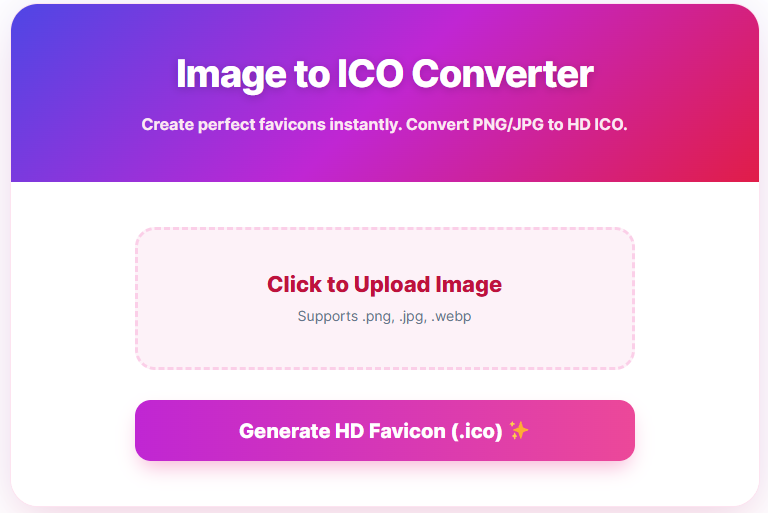
Upload Your Image: Sabse pehle upar diye gaye dashed box (“Click to Upload Image”) par click karein aur apne device (Mobile ya Computer) se wo JPG, PNG ya WebP image select karein jisse aapko text nikalna hai.
-
Analyze with Cloud AI: Image upload hone ke baad “Extract Text ✨” button par click karein. Tool aapki image ko hamare secure AI server par bhej kar scan karna shuru kar dega.
-
Copy and Use: Sirf 2-3 seconds mein, poora text aapke samne ek neat and clean box mein aa jayega. Aap chahein toh use wahin edit kar sakte hain, ya seedha “Copy Text 📋” button par click karke apne device ke clipboard mein save kar sakte hain.
Kiske Liye Yeh Tool Sabse Zyada Upyogi Hai?
Ek fast, accurate aur smart OCR Image to Text tool lagbhag har digital user ke kaam aata hai:
-
Office Professionals & Data Entry: Invoices, receipts, ya business cards (visiting cards) se data nikal kar Excel ya Word file mein fast entry karne ke liye.
-
Students & Researchers: Library ki books, handwritten notes (agar handwriting saaf ho), ya smartboard ke screenshots ki photo khinch kar unhe direct digital text notes mein badalne ke liye.
-
Content Creators & Bloggers: Kisi video, meme, ya infographic ke screenshot se quotes aur text instantly copy karne ke liye.
-
Programmers & Developers: YouTube tutorials ya forums mein dikh rahe code ke screenshots ko text format mein badal kar apne code editor mein direct paste karne ke liye.
Conclusion
Agar aap apna keemti samay aur energy manual typing karne mein barbaad nahi karna chahte, toh ek smart aur advance Image to Text Converter aapka best digital companion ban sakta hai. Hamara yeh free AI-powered tool na sirf aapko sabse fast aur accurate results deta hai, balki aapke har din ke mushkil text extraction tasks ko aasan bana deta hai.
Chahe wo lamba invoice ho ya koi simple screenshot, aaj hi apni photos ko hamare platform par upload karein aur Extract Text from Image feature ka fayda uthakar apne ghanton ke kaam ko seconds mein poora karein!
Akser Puche Jane Wale Sawal (FAQs)
Q1. Kya main is tool se Bijli ke Bill (Electricity Bill) ya Invoices ka text nikal sakta hoon? Haan, bilkul! Sadharan OCR tools aisi complex files par fail ho jate hain, lekin hamara tool Cloud AI par aadharit hai. Yeh bills, tables, aur complex background wali images se bhi badi aasaani se text nikal leta hai.
Q2. Kya image se text extract karne par koi daily limit hai? Hamara OCR Image to Text tool aam users ke liye bilkul free hai. Aap bina kisi account banaye din bhar mein kai saari images ko easily scan aur convert kar sakte hain.
Q3. Mere screenshot ka text bahut chota hai, kya yeh tool use padh payega? Zaroor! Cloud AI technology specifically chhote fonts aur low-resolution text ko padhne ke liye train ki gayi hai. Fir bhi, best accuracy ke liye koshish karein ki aapki image thodi saaf aur clear ho.
Q4. Kya main extract kiye gaye text ko edit kar sakta hoon? Haan. Image se Extract Text from Image hone ke baad, text aapko ek editable box mein dikhai dega. Aap usme koi bhi badlav (spelling theek karna, naye words jodna) kar sakte hain aur uske baad “Copy Text” button ka istemal kar sakte hain.
Q5. Kya meri images safe hain? 100% Safe hain. Aapki images sirf text scanning process ke dauran AI server par securely transmit hoti hain aur text nikalte hi unhe system se automatically delete kar diya jata hai. Aapki files ka koi backup ya record save nahi kiya jata.
More Tools
- SVG to JPG Converter
- Image Compressor
- WebP to JPG Converter
- Govt Exam Photo Resizer
- Online Calculator
- Home Loan EMI Calculator
Thankyou & Please Visit Our Other Site